All of our kits come with a 1 year warranty!
- Operating System & Software
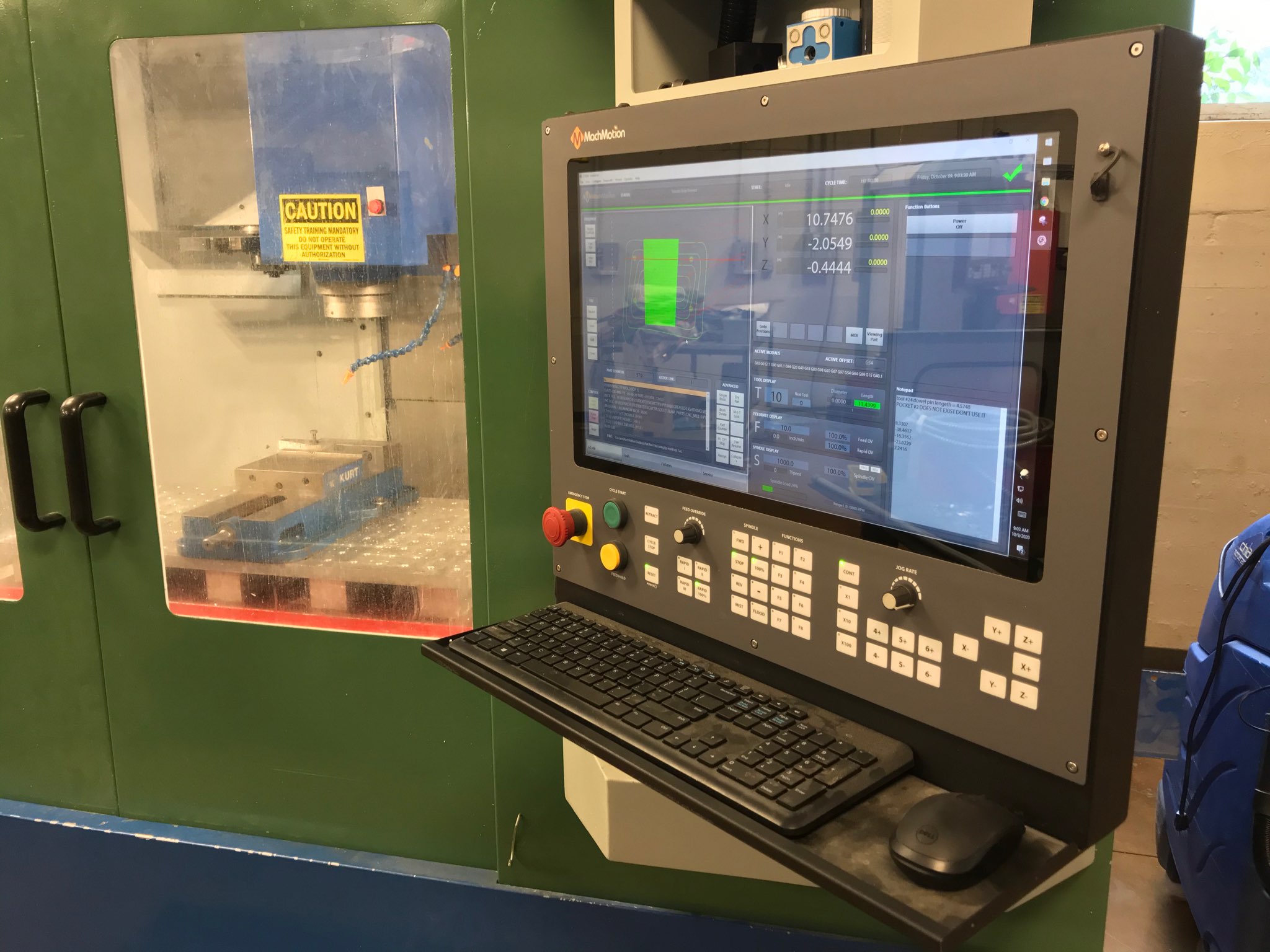
- Our CNC Controls are PC based with Microsoft Windows operating system, and state of the art Mach3 CNC control software. Being Windows based anyone with basic computer skills can learn how to use our CNC controls. We pre-configure our CNC controls with standard parameters, so little setup is needed. All our controls come with standard settings and interfaces for lathes (lathes, grinders..), mills (mills routers...) and plasma (plasma, oxyfuel..)
- Unique Features
- Some unique features of our control include virtually unlimited file stoarge space 100GB (10,2400 MB), a flip-out keyboard that you can hide away when not in use and even lock it shut if needed, a Ethernet port so you can connect it to your network and transfer files from your office, and a external USB port which you can also use to move your files with a USB Flash Drive.
- G-code
- Our controls accept standard Fanuc style G-code programming. You will need a program to convert your dxf files into G-code. You can use a Fanuc post-processor or many Cad Cam programs are now making post-processors for Mach3. Our controls also include many conversational programming functions.
- Customization
- It is easy to change settings on our controls, add more inputs/outputs, axis and many other settings. Our controls also come with a screen editor, so you can edit any of the standard screens. Our controls are being used in many custom applications every day.
- Non-Proprietary
- All PC parts used in our controls are non-proprietary and can be purchased at local suppliers for your convenience.
- Digital or Analog?
- Before you buy this control, you will need to know if your drives take a digital signal (step and direction) or analog signal (±10V) input from the control. Most older servo drives take an analog signal. All stepper drives, and many new servo drives take a digital signal. If your drives are digital, then this control will work for you! Otherwise please look into our Analog CNC Control, or a full Retrofit package with a CNC Control with drives and motors.
- Wiring
- After figuring out if your drives are analog or digital you will need to find wiring diagrams for them. If you need help finding out what type signal your drives take or how to wire them please feel free to contact us. We will need to know the drive brand and model number.
- Warranty
- All of our kits come with a full 1 year warranty. Each system is tested thoroughly before shipment.
| Digital CNC Control | |
| Inputs/Outputs (I/O) | Description |
| 6 Axes | X Axis, Y Axis, Z Axis, A Axis (Rotary), B Axis, C Axis |
| 8 2 Amp Relay Outputs | Flood/Mist, Coolant, Lamp, etc. |
| 9 Inputs | X, Y, & Z Limit Switches, Oilier Refill Warning, etc. |
| 2 Spindle Relay Outputs | Spindle Forward/Reverse |
| 1 Spindle Analog Output | Analog Output 0-10V for Spindle Speed Control |
| Expandable I/O Card* | Unlimited I/O for Advanced Options or Tool Changers |
| PLC * | PLC for Tool Changers or for Advanced Options |
| *By default this is not included with this kit | |
| Mach3 CNC Control Software Features | |||
| Visual G-code and tool path display | Multiple relay control (flood, mist coolant, exc.) | ||
| Unlimited program size | Backlash axes compensation | ||
| Customizable (Write your own macro's with VB for extra control and design custom screens) | Lead Screw axis mapping compensation | ||
| Fast block processing time | No physical PLC or Ladder Logic necessary | ||
| Point and click Mid-program start feature | Maintenance Statistics | ||
| Look-ahead continuous contouring for fast 2D and 3D contouring | Graphical toggle switches, indicator lights, multi-function knobs and numeric displays | ||
| Includes multiple wizards. (Wizards are like conversational programming) | Interactive diagnostic watch windows for all digital I/O, and axis positions | ||
| Standard canned cycles for drilling, pecking and boring | Absolute, Incremental, Distance yet to go readouts | ||
| MDI & G-code input | Feed hold | ||
| Configurable M codes | Exact stop checking and smoothing | ||
| Speed/Feed automatic calculator | Decelerated stops when you want them (M1 Stop) | ||
| 253 Work/fixture offsets | Set up a master and slave axis union | ||
| 253 Tool offsets | Inch and millimeter mode | ||
| G40, G41, G42 Tool comp. | Teach or digitize | ||
| Spindle speed control | Video display of machine *optional |
*The Ultimate Screen is not included in this control. To add it go to the "Options / Buy Now" tab.
MachMotion Ultimate Screen
The Ultimate Screen was developed by MachMotion to give our customers an easy to use customizable interface that is expandable to 6 axes. Below is a list of the highlighted features of the Ultimate Screen.
-
- Large buttons for touchscreen compatibility. Includes an onscreen keyboard.
-
- User buttons with on-press and on-release programming options and built in user LEDs.
-
- Buttons like Homing, Zeroing, and Goto are all fully customizable for special applications.
-
- Built in Job Queue option so you can run multiple programs in a row.
-
- Password protection for all the machine settings.
Click below on the screen to navigate through a live preview. Note that some features are disabled.
Basic Mill Screen
These are pictures of the default Mach3 Mill screens that come with all mill controls.
Basic Mill Wizards
These are the basic Mill Wizards (Conversational Programming) that come with all mill controls.
Basic Lathe Screens
These are the standard lathe screens that come with all our controls.
These are the standard lathe wizards that come with all our lathe kits.
We also have customized screens. Please contact us for any special applications.
| CNC Control Size | 24" (W) X 15.5" (H) X 6.5" (D) |
| Operating System | Windows® 7 |
| Power Supplies | 300 Watt PC Power Supply & 30 Watt 24VDC Supply |
| Power Requirements | 110-240 VAC Operation |
| Power Cord | 3' Power Cable |
| Keyboard | Waterproof, impervious to most anything including coffee and cleaning solutions. |
| Mouse | Trackball |
| Ethernet | Connect to your network and easily transfer files from the office to your control |
| USB Ports | 1 External USB Port + 1 Internal Click here for a picture of the external USB. |
| Screen Size | 17" LCD Monitor |
| Max Resolution | 1280 x 1024 |
| Drives Supported | Digital Servo & Stepper |
| Operator Panel | X15-10-01 Operator Panel, with Jog Buttons, Axis Selector, Increment Selector, Jog Speed Selector, Cycle Start, Feed-hold and Emergency Stop Buttons. |
| Axis | 1-6 |
| Available Power Supply Outputs | 5VDC, 12VDC & 24VDC |
| Analog Outputs | 0 |
| Digital Relay Outputs | 8 |
| Digital Outputs | 12 (depending on how many axis are used) |
| Digital Output Voltage Range | 5-24VDC |
| Digital Inputs | 10 |
| Digital Input Voltage Range | 5-24VDC |
| Spindle Analog Output | Analog Output 0-10V |
| Spindle Relay Outputs | 2 |
| Safety Features | Opto-isolated I/O & Charge Pump |
| Charge Pump Output | 1 |
| Extra MPG (hand wheel) inputs | 1 |
| Encoder Inputs | None |
Hurco Mill Demo
Mitsubishi Servo Drives and Motors Demo
Stepper Servo Drives and Motors Demo
TECO Servo Drives and Motors Demo
Our standard package ships within 2-3 weeks.
Any additional options could take up to 6 - 10 days.
Standard Shipping is UPS Ground
X15-250-A1 Quick Start Guide |
Download PDF | |
| Arm Assembly |
Download PDF | |
Apollo I User's Manual |
Download PDF | |
Mach3 Mill |
Download PDF | |
| Mach3 Turn |
Download PDF |